Changelog
User-facing changes to Glyphae, newest first. Written for the people who browse the library, not the people who build it. A platform ships when it is ready rather than waiting for the others, so an entry names the platforms it reached whenever a release does not cover all of them. Every entry carries one visual of the main feature, made by the engine: a line `` right under the heading, file committed to `public/changelog/`. It renders on this page and in the Discord announcement.
2026-07-29 · engine 0.3.0macOSLinux
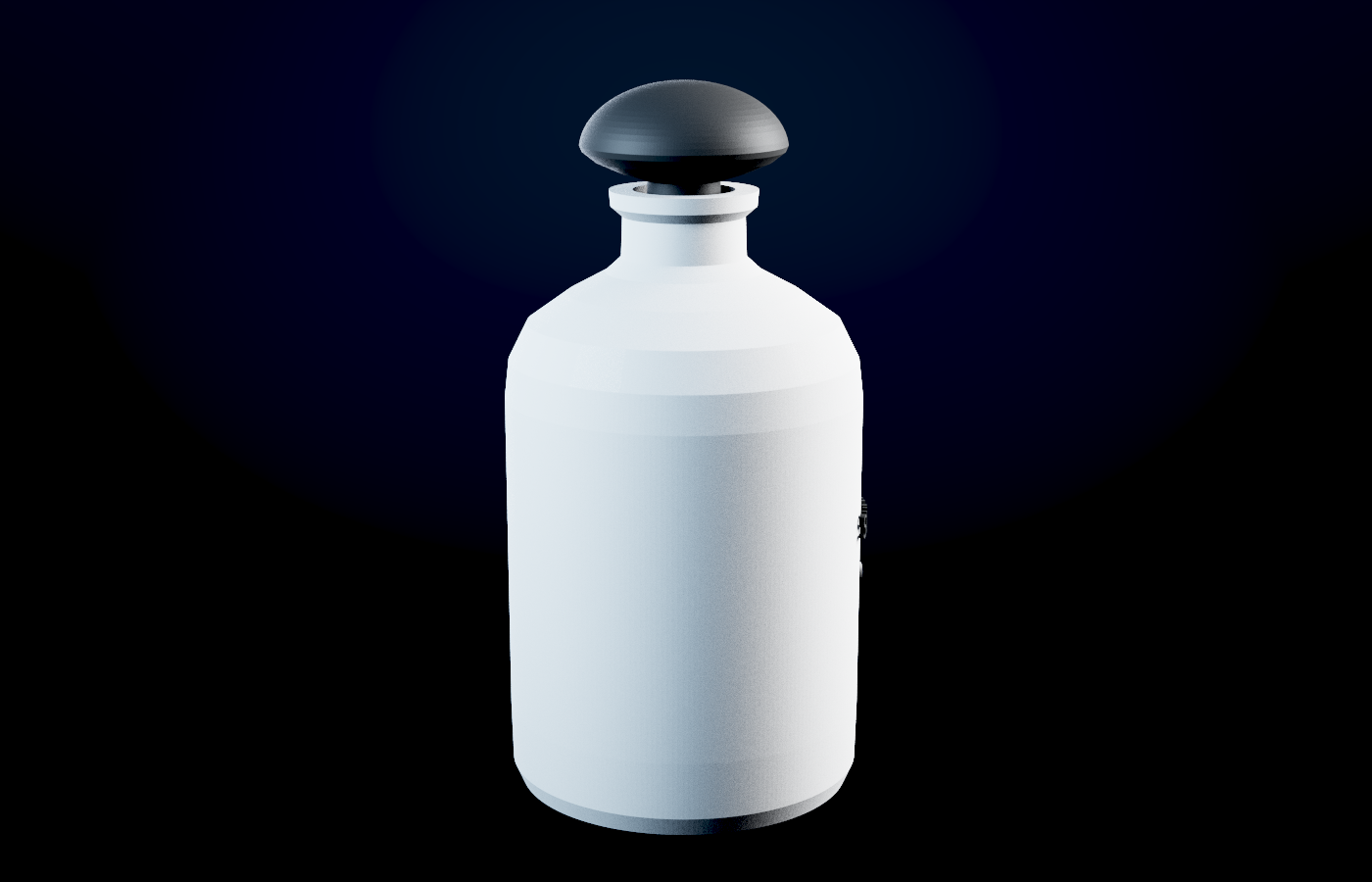
- Your scene can leave as a 3D file now. `glyphae --export-glb scene.json out.glb` writes the op graph as a glTF 2.0 binary, so what the engine builds can open in Blender, three.js, Unity, or any viewer that reads glTF. It is the same geometry the renderer traces, not a second model kept in sync by hand: one primitive per material, flat normals because ops build faceted solids and smoothing them would lie about the shape. `--pick` exports one sub-tree, `--norm` normalises the size, `--name` sets the node name. The picture above is a bottle sent out as GLB, read back in, and rendered from the imported file.
- Solids no longer export with holes in their corners. Corner caps fanned each welded vertex in the order faces happened to be created, which stitches a self-crossing polygon: some edges used three times, others not at all. They now fan in angular order around the vertex, and an extrusion that should be closed comes out closed.
2026-07-29 · site
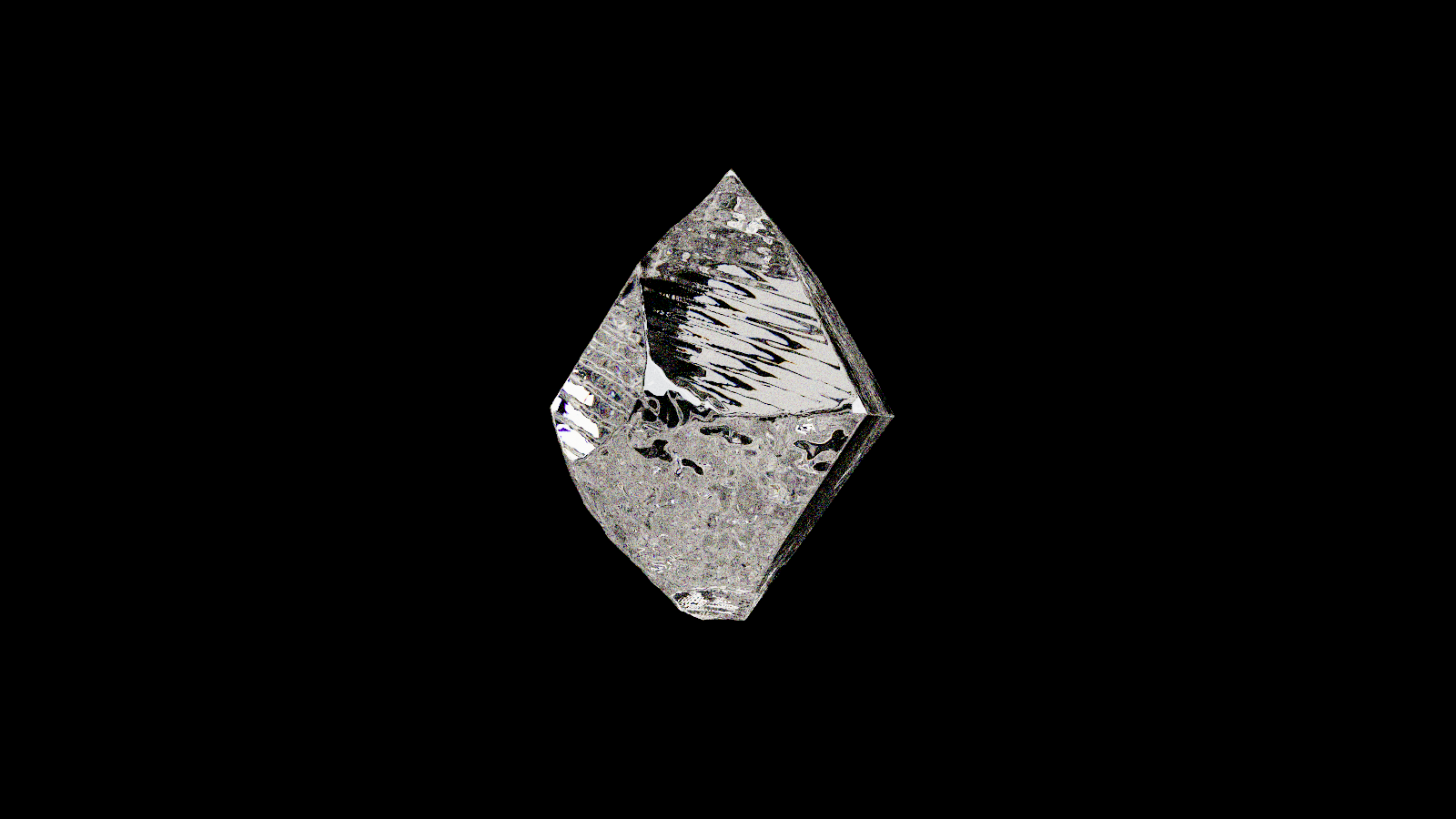
- glyphae.com is the engine's site now, and only that. The asset library is gone: the pages, the API, the accounts and the keys. It served three.js modules, PBR bakes and GLBs for other people's runtimes, which is not what this engine is for. What replaces it is already in your hands: `--scene-new <recipe>` scaffolds a scene, the engine ingests your own GLB, and `--export-glb` writes one back out. The scene is the asset.
- Nothing you need moved. The download, the docs, the machine manual at `/llms.txt`, the changelog and the engine itself are untouched. If you had pulled a file from the library, you still have it; its licence has not changed.
2026-07-22 · engine 0.2.0macOSWindows
- You can author animation for your own rigged characters now. 0.1.6 played the clips a GLB shipped with; 0.2.0 is where the engine becomes the place clips come from. `glyphae --rig-info model.glb` lists a rig's bones and clips. A `.anim` file is plain JSON — one track per bone, keys in seconds with optional easing — and a key may carry translate, rotate and scale together, so a foot can heel-lift instead of sliding. Bones without an FK track can be driven by compile-time CCD inverse kinematics: pin an ankle to a target and the knee bends to reach it, with pole targets to aim the bend and joint limits so elbows never hyperextend. `--motion walk.anim` on `--rig` and `--rigloop` plays your clip on any rig, `--rig-export` bakes it into a new GLB any DCC can open, and `--view` plays, pauses and scrubs the result live. The format spec and the whole pipeline are in the machine manual (`--help-ai`), so your agent can write a walk cycle the way it writes anything else.
2026-07-22 · engine 0.1.8macOSLinux
- The jelly is a different dessert now — rebuilt from references into a moulded flan with fluted sides, a lacquered cherry and a flat colour field instead of a studio floor. `glyphae --scene-new jelly` scaffolds it, `--jellybuild` renders the whole thing assembling on camera: the lathe sweep opens facing you, the flutes cut in, the cherry drops, and its impact is what makes the body wobble. The wobble is a real modal model (two damped modes, volume preserved), not a sine on a mesh.
- A falling cherry no longer makes the jelly lean. The jiggle carried a lateral sway, so the body tipped before anything had touched it sideways. A vertical impact squashes a body and bulges its waist; it cannot tip it.
- New recipe: the mark — the Glyphae glyph itself, generated by the engine rather than composited from a browser screenshot. Metaballs fused by a smooth-min, polygonised and traced like any other subject. `--markbuild` renders it assembling, and `--mark-theme jelly|can|tire` dresses it in the world of the film it closes, so an outro is made of its own film's materials and light instead of a shared plate.
- Every recipe now brings its own world. Backdrops, light and grade used to be inherited from the gem studio, so different subjects came out looking like the same shot. Each recipe carries its own, and the machine manual (`--help-ai`) documents the knobs.
2026-07-21 · engine 0.1.6
- Rigged GLB characters animate now. The importer reads skins, joint weights, inverse bind matrices and animation clips (LINEAR and STEP samplers), evaluates the clip on the CPU and re-traces every frame — the same per-frame discipline as the rest of the engine. `glyphae --rig model.glb out.png [clip] [t]` poses a still; `--rigloop model.glb dir [clip] [frames]` renders the whole clip. Clips select by name or index. Rigged models used to import as frozen geometry; now they move.
- Stated v1 limits: no morph targets, GLB textures not sampled yet, and the live viewport's play/scrub does not drive external clips yet. Those are the next slices.
2026-07-21 · engine 0.1.5
- New recipe: the can — a revolved aluminum drink can with a label wrapped as a real cylindrical decal, in 330 ml proportions. `glyphae --scene-new can` scaffolds it; `--canspin` renders one full seamless orbit; the label swaps without recompiling (`GLYPHAE_CAN_LABEL=yours.png`, alpha = where the print covers, bare metal elsewhere). The homepage shows it turning, plus a recorded agent session re-framing it to a hero angle by editing one camera knob.
2026-07-21 · engine 0.1.4
- Linux builds now run on Ubuntu 22.04+ / Pop!_OS: 0.1.3 and earlier were compiled against glibc 2.43 and refused to start on anything older. The Linux binary is now built against glibc 2.35, and the release pipeline gates on that ceiling so it cannot regress. The download page stops claiming "no dependencies" for Linux and states the real ones: glibc 2.35+ and a Vulkan driver.
- Two viewports no longer fight silently: the second `--view` used to log a bind error and open a window with no control socket. Now the default port scans to the next free one and announces it; an explicit `GLYPHAE_VIEW_PORT` fails loudly instead of running unreachable.
- The harmless `VK_EXT_physical_device_drm` warning is quiet by default (it reads like a problem in every log; `RUST_LOG` still overrides).
- `glyphae --help` had the render arguments in the wrong order (`[w h spp]`); it now matches the binary and every other doc: `[spp] [w h]`.
2026-07-21 · engine 0.1.3
- New recipe: the jelly — a squishy spectral-glass pillow on the studio floor, the "liquid glass" look traced for real instead of faked in a shader. `glyphae --scene-new jelly` scaffolds it; `--jellyloop` renders a seamless squish loop (the last frame meets the first by construction); the tint, roundness and squish amplitude are plain scene-file knobs. Ask your agent to change `gem_absorb` and it's raspberry instead of citron — that edit is one line.
2026-07-21 · engine 0.1.1
- Glyphae runs on Windows now: a DX12 build for Windows 10 and 11, x86_64, on the [download page](https://glyphae.com/download). It is not code-signed — we hold a certificate for macOS, not for Windows — so SmartScreen warns on first run and you click through "More info" to launch it. Verify the checksum on the download page; that is the real integrity check.
- macOS and Linux, 0.1.1: the engine no longer runs out of GPU memory partway through a long physics sequence. `--drop` used to build a fresh graphics device for every frame and died around frame 26 with "no GPU adapter"; it now builds one device for the whole run, which also made it several times faster and gave it a progress readout your agent can poll.
- The tyre's moulded sidewall reads SPECTRAL ENGINE instead of the old CURATED FORM.
2026-07-21
- The engine is a download now (macOS, Apple silicon): get the Glyphae engine itself at [/download](https://glyphae.com/download) — one signed, notarized binary, no dependencies, free. Write a scene file, open the live viewport, edit the file and watch it reload, then render the final frame headless. `glyphae --help` is the human page; `glyphae --help-ai` prints a manual your coding agent can read to drive the whole thing.
- The engine is a download now (Linux, x86_64): same binary, same scenes, Vulkan instead of Metal. Needs a Vulkan driver (Mesa, NVIDIA, or AMD) and a GPU; there is no CPU fallback.
- The catalog is gone for now: browsing at `/catalog` has been removed. Everything in it was our own seed, and a library of our own work was standing in front of the thing you actually came for. Individual asset links (`/a/<id>`) still work, the API and uploads are untouched, and a community surface comes back when there is community work to put in it.
- Windows is not built yet. Nothing is hidden behind a waitlist: when a Windows build exists it appears on the download page the day it does.
2026-07-13
- New "Engine" page (`/engine`): explains how the Glyphae engine works, scenes as programs, the live viewport an AI drives, the draft-to-final render ladder, and the agent workflow. The homepage "How it works" button and the sidebar link there. Honest about status: the engine is early and powers our own production, not yet a public download; the catalog stays live and free.
2026-07-11
- Glyphae is the engine now: the homepage introduces the Glyphae engine, a CLI-native path tracer your AI drives, with a live demo reel of a tire built entirely from operations (lathe, tread, morph, stamp). The asset library moved to Catalog (`/catalog`); every old asset link still works.
- New look: the whole site now wears the brand identity, ink and citron with the living metaball mark, Fraunces headlines, and Space Mono labels.
2026-06-29
- Shaders now preview on the Glyphae mark: every shader (Tomographic X-Ray, Holographic Scan, Spectral Apparition) now wraps the Glyphae logo itself — a cluster of fused metaball blobs — instead of the old motorcycle, both in its gallery thumbnail and in the live, spinnable view on its page. The clustered, overlapping form gives the see-through and x-ray looks plenty of overlapping surface to glow through, so the effect reads truer.
2026-06-28
- Add and edit assets in your browser: you can now contribute without an API key or the command line (the API and CLI still work for scripts and agents). Go to Contributions → New asset to upload a preview and files, pick the category, set the license and description, write notes for the model (when to use it, parameters, gotchas), then save a draft or submit it for review. Already have an asset? Every asset you own now has an Edit button to change any of that, and your previous version is kept in its history.
2026-06-27
- Sharper diamond cover: the diamond's thumbnail in the library is now a photoreal studio shot — the stone on deep-green velvet with real fire (gold, green and violet flashes), a soft light pool and a true contact shadow, the way a jeweler would photograph it.
- New shader: a real Brilliant Diamond: a true 57-facet round-brilliant cut that renders live in its page — spin it and watch it throw real fire (rainbow flashes) and sparkle. It's not a cubemap fake: the shader ray-traces the light bouncing between the diamond's internal facets and splits it into colours, so the sparkle reads true as the stone turns. Presented like a jewelry hero — resting on deep-green velvet under a studio softbox, slowly turning so its facets catch the light. Ships as one self-contained three.js module (the cut, the lighting environment, and the material) you drop into any scene, with agent docs for the cut, the index of refraction (dial it down for glass or sapphire), the dispersion, body colour, and a frosted-stone mode.
2026-06-26
- New hardware: a 3.5" floppy disk: a true-to-scale 3.5-inch floppy (90 × 94 mm) modeled part-by-part — separate shell, sliding shutter, steel hub, write-protect tab and spring — with clean, named materials and real moulded-plastic grain. Built to customize: recolor the shell, swap the label texture for your own art, slide the shutter open, or turn the shell frosted-translucent. Drops into three.js / Blender / Unreal / Godot at real size, with agent docs for every tweak.
2026-06-21
- New "Sounds" category + an in-page player: the catalog now has Sounds — audio clips and sound effects you can play right in the asset page. Hit play on each take without leaving the page (starting one pauses the others), filter the gallery to Sounds, and download the clips like any other format. First up: Footsteps on Dirt, two running-on-dirt takes you can alternate so steps don't repeat.
2026-06-18
- Clouds, live in 3D: the Cumulus Cloud (the Blender cumulus) now renders as a real-time, orbitable volumetric cloud right in its page — drag to spin around it — with the `.blend` still downloadable. And a new Volumetric Cloud glyph ships a generic real-time raymarched cumulus you can drop into any three.js scene (the drop-in module is the download).
- Every asset has its own page: assets now live at a real, shareable link (`/a/<id>`). Clicking a card opens the detail instantly as an overlay over the grid — and the URL updates, so you can share it; opening that link directly (or refreshing) loads the full standalone page.
- Rich link previews: pasting a Glyphae link (the catalog, or a specific asset) now unfurls a branded preview card — the asset's render, its name and category — on Slack, iMessage, X, and anywhere else.
- Snappier library management: publishing, submitting, unpublishing, and deleting your assets now update the gallery instantly with a confirmation toast (no more stale list that needed a manual refresh), and Delete asks for an inline confirm instead of a browser popup.
- New "Shaders" category + three looks: the catalog now has Shaders — custom GLSL looks you drop onto any mesh, the code-driven sibling of Materials. The first three are Tomographic X-Ray (an additive, see-through x-ray where overlapping surfaces glow as density, with a sweeping CT slice), Holographic Scan (a cold, pixelated, Bayer-dithered blue-white scan grade), and Spectral Apparition (a translucent, glowing electric-blue ghost with a travelling scan band). Each previews live on a sample model and ships a paste-ready three.js / r3f drop-in you can copy or download, plus agent docs for every tweakable uniform.
2026-06-17
- Plane preview: the material viewer now has a Plane option alongside Sphere and Cube. It tiles the texture three times so you can see how a material repeats — handy for spotting visible seams.
2026-06-16
- New "Scenes" category + Rim Light Setup: the catalog now has Scenes — lookdev and lighting setups, not just surfaces. The first one is Rim Light Setup: a real two-light rim rig that wraps a near-black subject in a glowing silhouette edge. Drop your own mesh into the live 3D preview, download the three.js scene or the ready-to-open Blender file, and read the agent docs for placement.
- Contributions, first-class: your contributions now have their own gallery — same 3D previews and detail viewer as Browse — reachable from a sidebar link, with publish/unpublish/delete in the viewer. Public profiles use the same gallery too.
- Gallery refresh: square previews (no more half-cut spheres), five per row, cleaner cards with the title + category below the image, and clearer asset names with fuller descriptions for AI agents.
- Account, reorganized: Profile, API keys, and Contributions are now separate tabs instead of one long page.
- Username-first profiles: you're identified by your username; the separate display name was removed.
- Refreshed sidebar: clearer icon navigation with the current page highlighted, your account as a dropdown menu at the bottom, and a cleaner borderless edge.
- Profile pictures: upload an avatar on your account — it shows in the sidebar and on your profile, with a clean initials fallback.
- Privacy & Terms: added a Privacy / Terms page, linked from the sidebar.
- Author credit: library assets now show their author and appear on that author's profile.
- Accounts: sign in with a magic link or email + password to get your own Glyphae account.
- Profiles: a public page at `/u/your-username` with your name, website, and description, plus the assets you've contributed.
- Contribute assets: signed-in users can add and manage their own assets. The curated catalog stays curated.
- API + keys: create an API key in your account and manage assets from a CLI or AI agent over a simple HTTP API (search, create, update, upload).
- Docs: a new `/docs` page explaining the catalog, accounts, and the API.
- Sidebar navigation: the top bar moved to a left sidebar holding the menu, library links, and status, so there's more room to browse.
- Favicon: the morphing logo glyph now marks the browser tab.
2026-06-15
- Animated logo: the Glyphae mark morphs as you browse, and clicking it takes you home.
- Search: find assets by name, category, or what they're for (the model-facing docs are searchable too). Hit / to jump to it.
- Shareable links: every asset now has its own URL, so you can link directly to a material.
- Refreshed gallery: a tighter, edge-to-edge grid with labels over each preview, and clean material thumbnails on a transparent background.
- Changelog: this page, so you can follow what ships.
- New tagline: "Real 3D your AI understands."